

Firefox Overhaul: Project Nova Promises Enhanced Customization and Privacy Controls
Mozilla is preparing a significant visual refresh for Firefox, codenamed “Project Nova,” set to roll out later this year. This redesign focuses on improving user experience, enhancing privacy controls, and offering greater personalization options. A key highlight is a revamped Settings section designed to make accessing and managing privacy features, including the toggle for all AI functionalities, more intuitive.
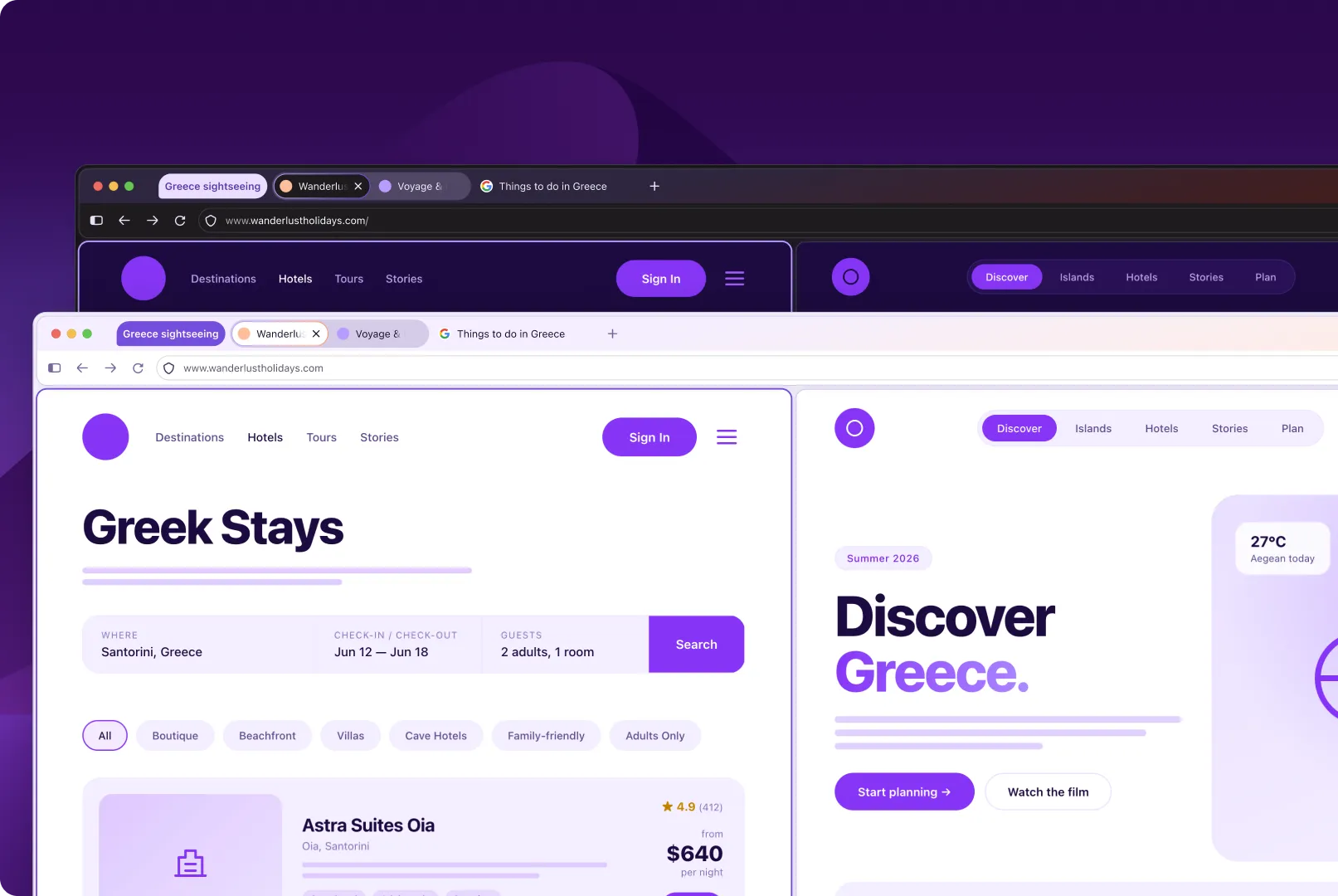
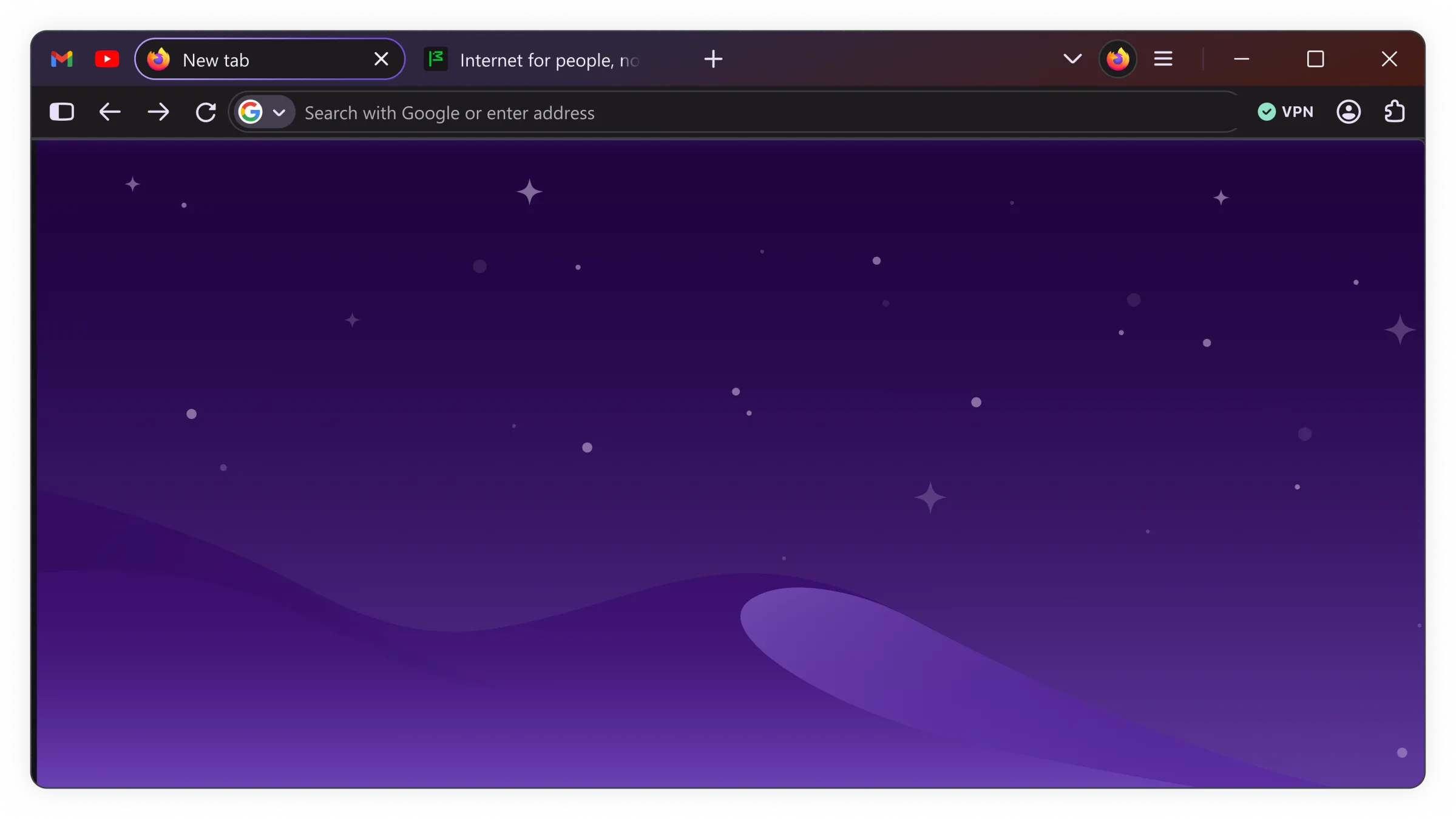
The visual update introduces rounded UI elements, including distinct bubble-like tabs, and a refreshed color palette inspired by Firefox’s iconic flame. Icons are also being updated for improved consistency across both light and dark modes. This aesthetic overhaul aims to modernize the browser’s appearance while retaining its user-friendly interface.
Key Features and Enhancements
Enhanced Privacy Management
A significant focus of Project Nova is the improvement of privacy settings. The redesigned Settings interface will make it simpler for users to locate and manage their privacy preferences. Notably, it will offer a clear option to disable all current and future AI-powered features, providing users with greater control over their data and browsing experience. This is particularly relevant as AI integration in browsers becomes more common, and Firefox aims to provide transparency and user agency.

Unlike some competitors, Firefox’s AI features are not downloaded to a user’s machine by default. For those who opt to use installed AI models, the updated interface will provide clarity on which models are present and their storage footprint, offering a more transparent approach compared to the significant download sizes seen elsewhere.
Productivity and Customization
Project Nova will reintroduce Firefox’s compact mode, which streamlines the browser’s interface for a more focused experience. Additionally, it will enhance accessibility to features like tab groups, split view, and vertical tabs, catering to users who manage multiple tasks and open pages simultaneously.
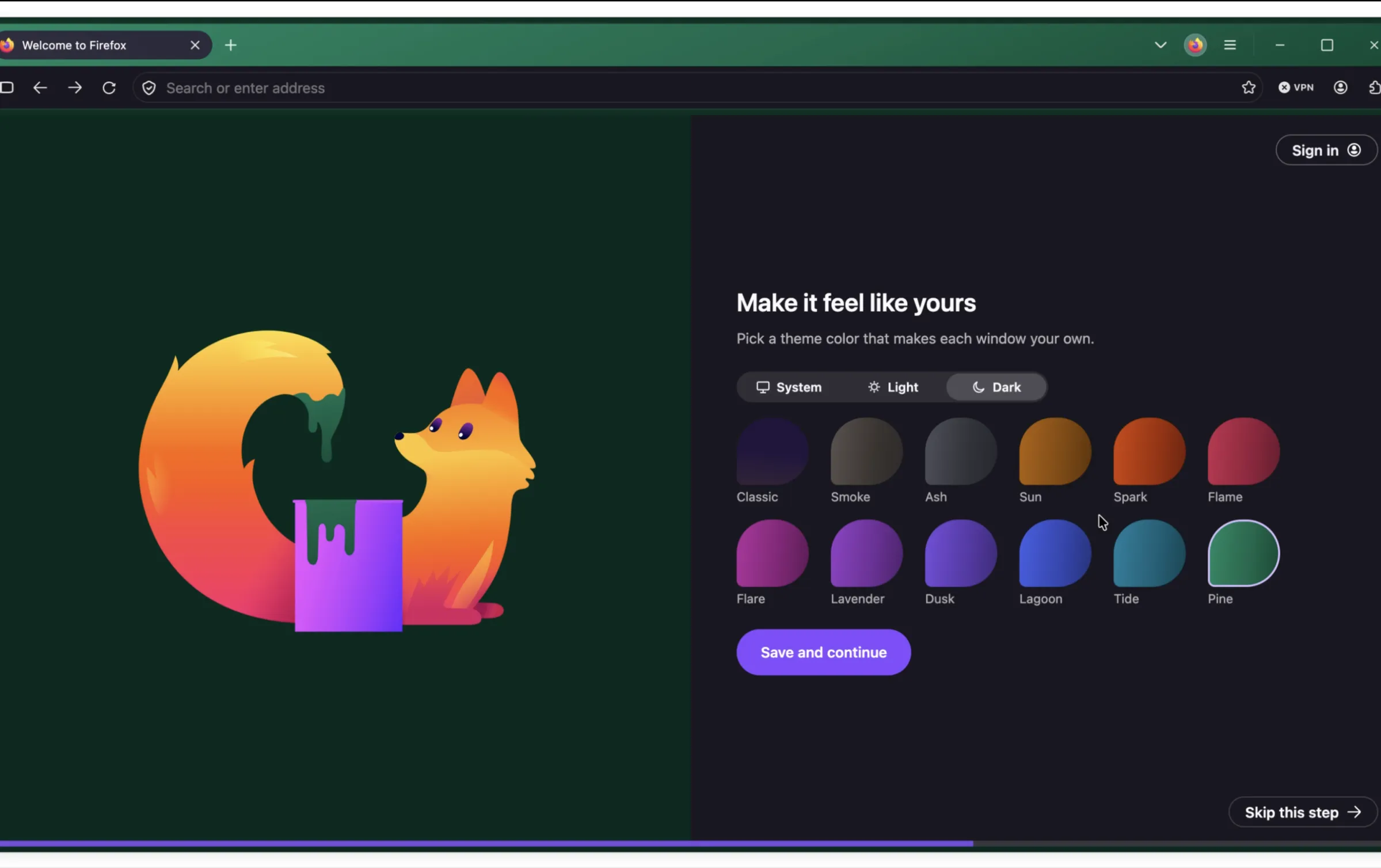
Beyond the visual changes, Project Nova aims to enhance customization. Users will be able to choose from new wallpapers and themes that extend across the entire browser window, with dedicated light and dark mode options. Mozilla is also exploring further UI element customization, including the shape of tabs, giving users more power to personalize their browsing environment.
New Features in Firefox 151
In addition to the upcoming Project Nova redesign, Firefox 151, released this week, brings immediate value with the integration of the Web Serial API. This allows websites to interact with hardware devices and deliver firmware updates directly through the browser, eliminating the need for separate native applications or installers. This update also includes an improved Firefox Home page design, new wallpapers, and enhanced PDF viewing capabilities, such as the ability to merge multiple PDF documents.
Business Style Takeaway: Firefox’s Project Nova redesign signals a commitment to user control and a cleaner interface, which is crucial for professionals who value efficiency and privacy. The enhanced customization and streamlined access to features like tab management can significantly boost productivity for those juggling multiple projects, while the clear AI controls provide peace of mind for data-conscious business users.
Details can be found on the website : www.theverge.com